Home
Create Composer Envs In Gcp
tags: #cloud-composer #airflow #gcp #article
source: How to transfer BigQuery tables between locations with Cloud Composer [link]
-
Creating Environments
- To create a Cloud Composer environment in Google Cloud:
- Click on “Create environment.”
- Choose “Composer 3” from the dropdown menu.
- Set the following parameters:
- Name: composer-advanced-lab
- Location: us-central1
- Image Version: Select the highest version available (composer-3-airflow-n.n.n-build.n).
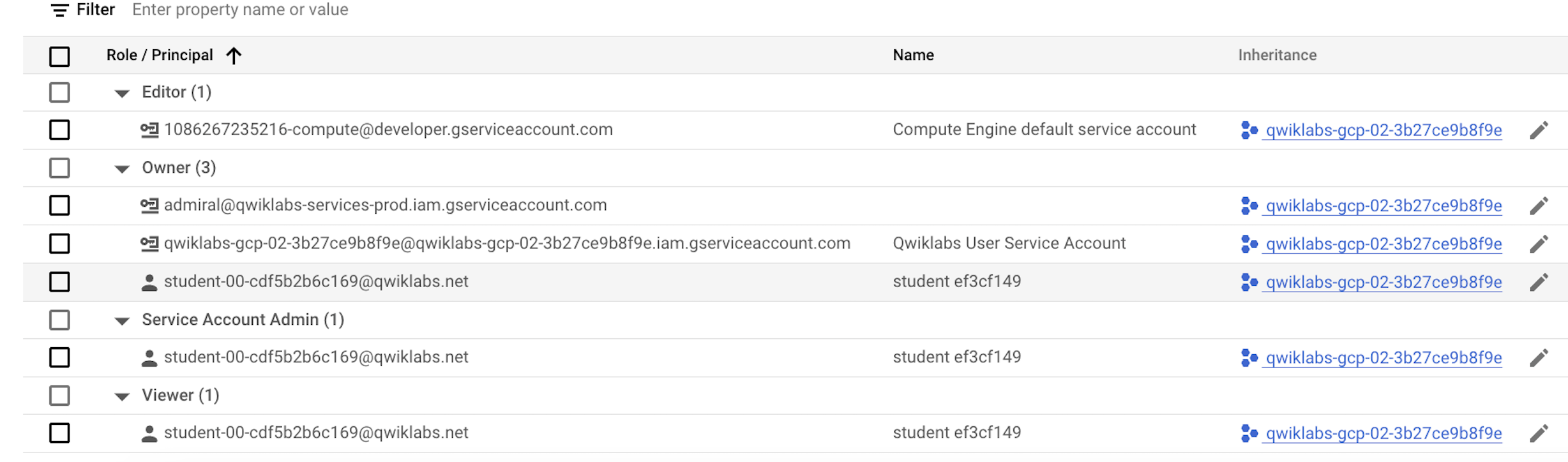
- *Service Account:** Use the Compute Engine default service account.\
- Under “Environment resources,” select “Small.”
- Expand “Show Advanced Configuration” and set the Airflow database zone to us-central1-c.
- Leave all other settings at their defaults.
-
Click “Create.”
- Default Service Account: (Properties?)
- Sample Dag: bq_copy_across_locations.py
-
Setting airflow variables from gcli
gcloud composer environments run ENVIRONMENT_NAME \
--location LOCATION variables -- \
set KEY VALUE

gcloud composer environments run composer-advanced-lab \
--location us-central1 variables -- \
set table_list_file_path /home/airflow/gcs/dags/bq_copy_eu_to_us_sample.csv
-
Upload the DAG and dependencies to Cloud Storage
- Copy the Google Cloud Python docs samples files into your Cloud shell:
- Upload a copy of the third party hook and operator to the plugins folder of your Composer DAGs Cloud Storage bucket:
gcloud storage cp -r python-docs-samples/third_party/apache-airflow/plugins/* gs://$DAGS_BUCKET/plugins
- Next, upload the DAG and config file to the DAGs Cloud Storage bucket of your environment:
gcloud storage cp python-docs-samples/composer/workflows/bq_copy_across_locations.py gs://$DAGS_BUCKET/dags

gcloud storage cp python-docs-samples/composer/workflows/bq_copy_eu_to_us_sample.csv gs://$DAGS_BUCKET/dags
Cloud Composer registers the DAG in your Airflow environment automatically, and DAG changes occur within 3-5 minutes. You can see task status in the Airflow web interface and confirm the DAG is not scheduled as per the settings.
- Config and additional Packages can also be added via
pypi packagestab.